Note
My learning and exploration of these topics are heavily AI-guided and my writing and thoughts are my own. is to serve as a knowledge base and playbook while displaying my work and progress.
My 2x16GB DDR4 SODIMM modules came in recently and I’ve been eager to get them hooked up so I can start doing the lab part of homelabbing. Working on the internals of a computer was uncharted territory for me and I was excited to get hands-on experience. It’s safe to say I got exactly what I asked for. Luckily, with the help of AI, I didn’t have to struggle too long with it.
The process was fairly straightforward:
I SSH’ed into the box, shut it down with shutdown now, unplugged ethernet and AC, then held the power button for 5 seconds, which apparently drains the residual power.
Removed the screw on the back to slide off the case.
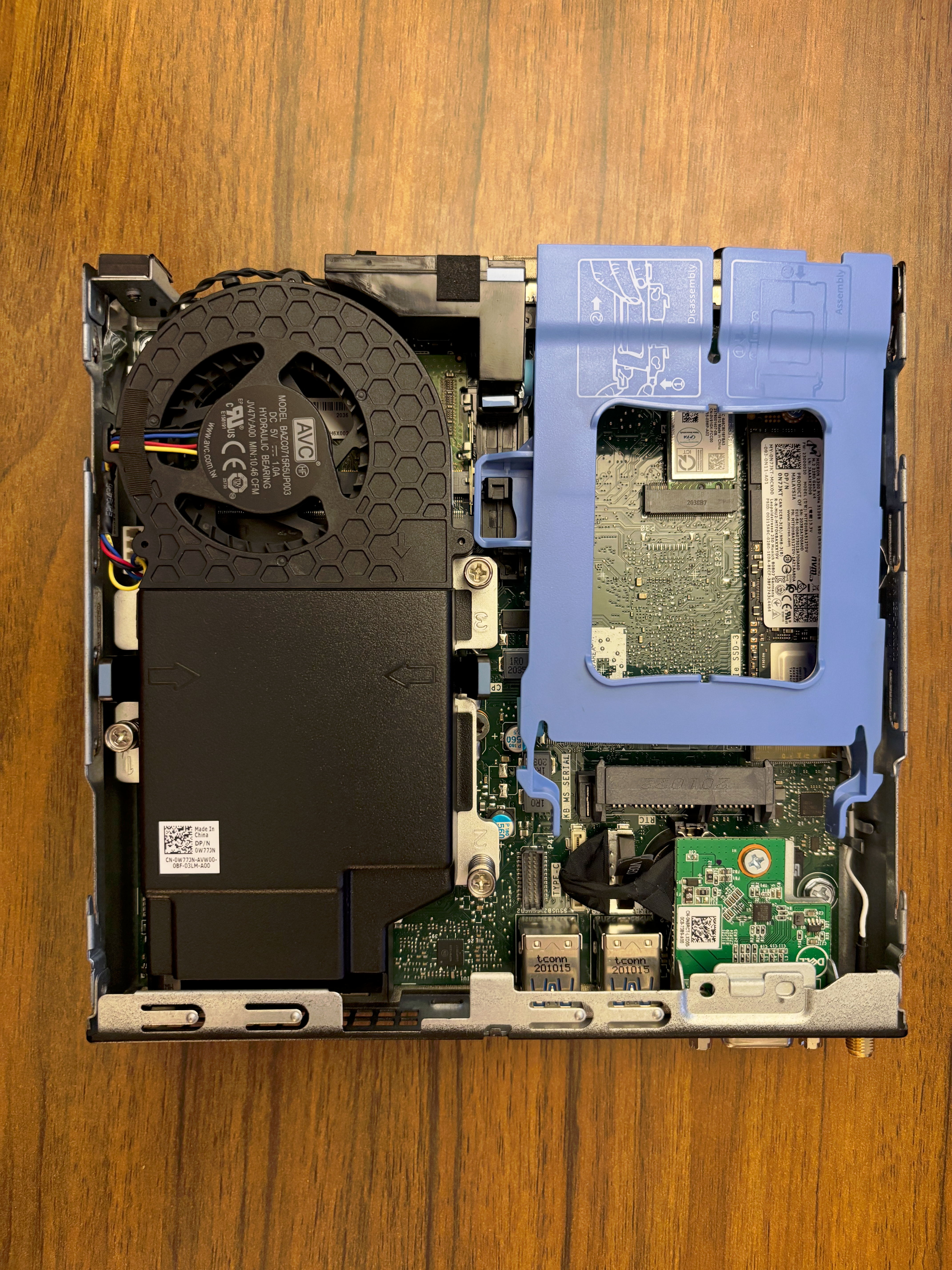
Removed the fan (large black encasing). The RAM slots live underneath it.
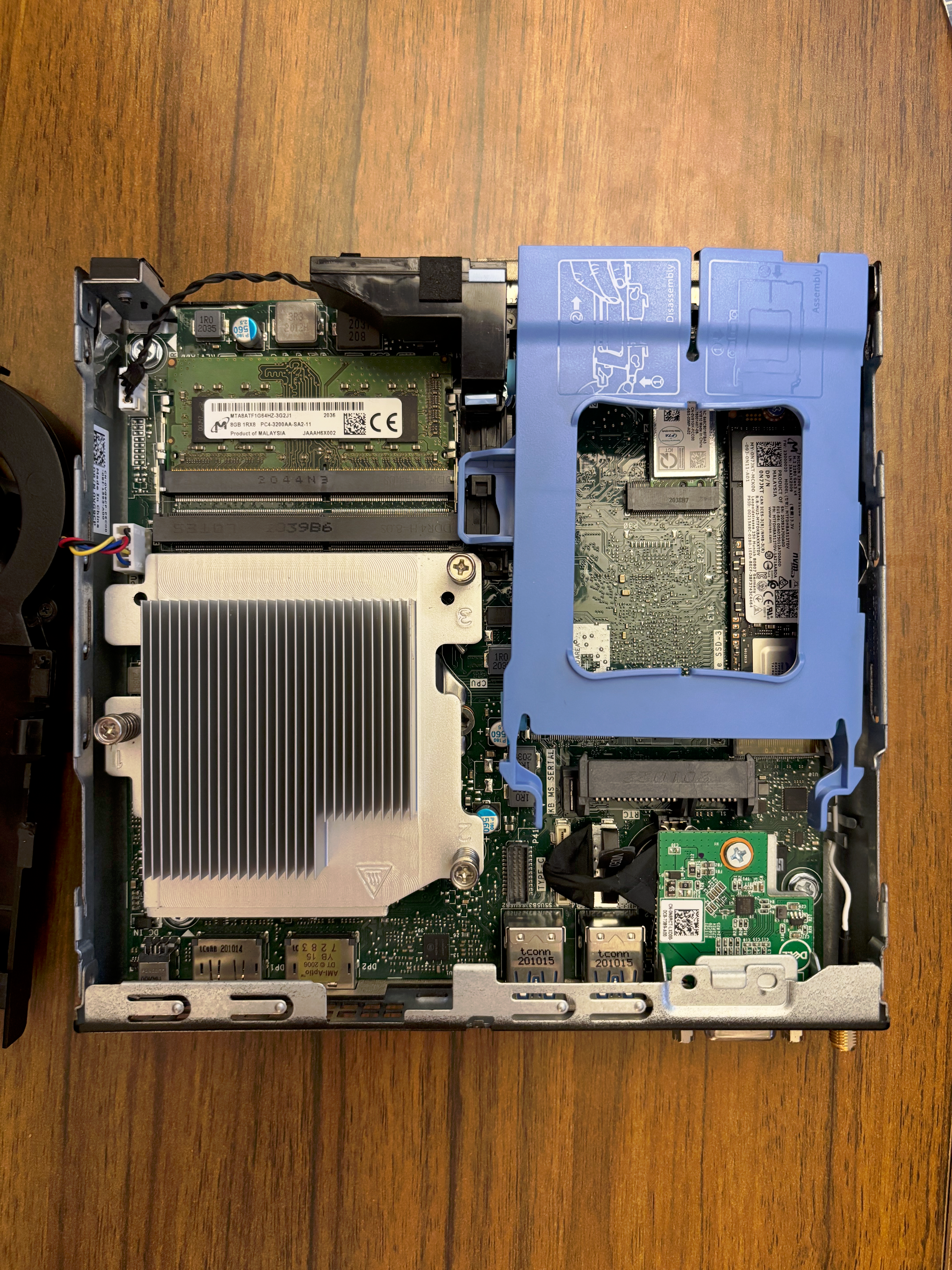
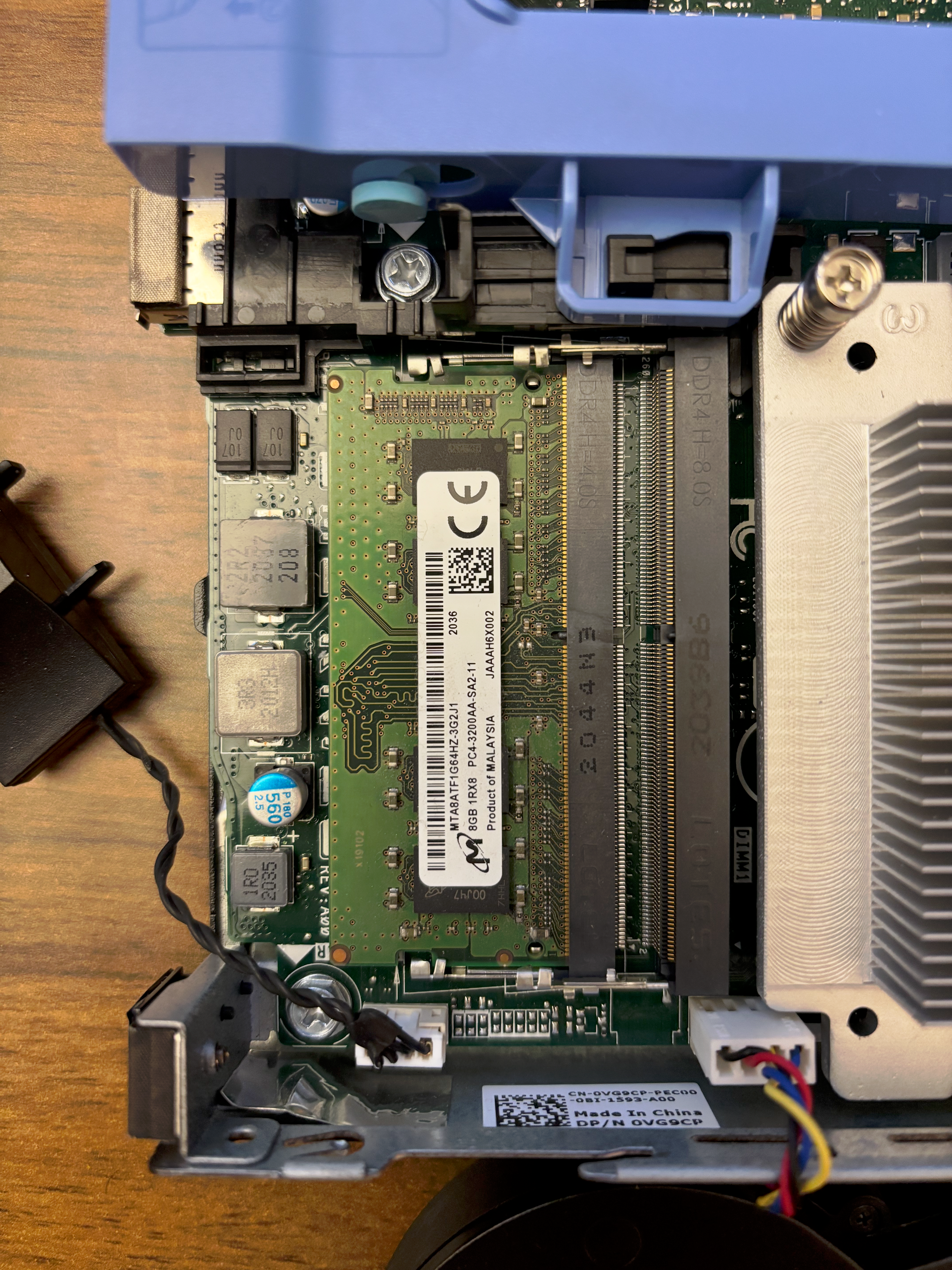
To remove the stick, I pushed the two metal clips out and the stick snapped up at an angle. Once I removed the 8GB stick it went straight into the anti-static bag the 16GB modules came in.
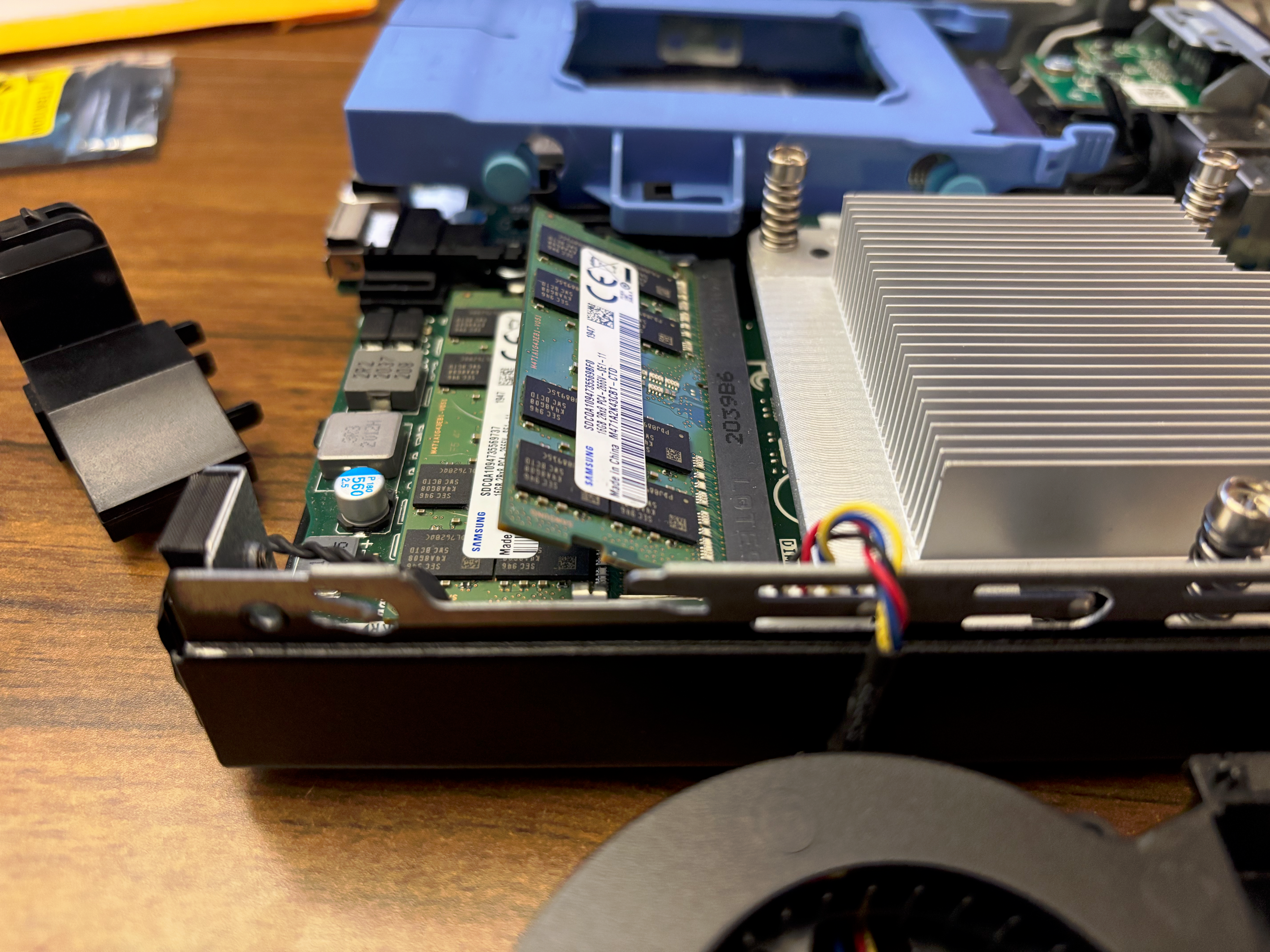
Added in the two 16GB sticks, sliding them in at the same angle and pushing them in until they snapped into place. Cover back on. Boom. Done.
I thought that was it. I’d just plug it back in, SSH into the box, and run memtester to verify that the sticks were recognized and working.
I plugged everything in, waited a few minutes, then tried to log into the web UI. Nothing. I ran ping:
$ ping 10.0.X.X
PING 10.0.X.X (10.0.X.X): 56 data bytes
ping: sendto: No route to host
ping: sendto: Host is down
Request timeout for icmp_seq 0
ping: sendto: Host is down
Request timeout for icmp_seq 1
ping: sendto: Host is down
Request timeout for icmp_seq 2
ping: sendto: Host is down
Request timeout for icmp_seq 3
ping: sendto: Host is down
Request timeout for icmp_seq 4
^C
--- 10.0.X.X ping statistics ---
6 packets transmitted, 0 packets received, 100.0% packet loss
“No route to host”. “The host is down”. I opened the UniFi controller to see if that could give me any more info.
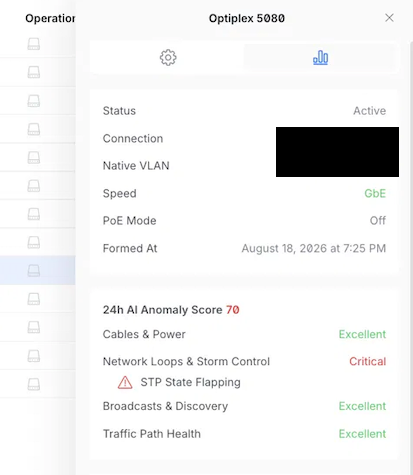
A critical alert, but one that I’ve seen before when moving the newly minted Proxmox box back to the bookshelf. Last time it resolved itself, so I wrote it off. In looking at the Activity Log, I can see that Optiplex 5080 is connected to the Homelab VLAN, has a link speed of GbE, and its fixed IP. So the Optiplex is powered on, but unreachable over the network. When I gave this context to Claude, it suggested two possible causes: a BIOS prompt related to recognizing the new memory sticks or I didn’t seat the RAM sticks properly. Given I’ve never seated sticks of RAM, I bet on that being the issue. I powered off the machine, held the power button for 5 seconds, and brought the box back to my desk to reseat the two sticks of RAM.
Nothing looked improperly seated, but what do I know. I reseated them and booted back up, this time connected to my monitor to be safe. On boot, I was back at the BIOS screen with the same messaging from the first time I booted it up.
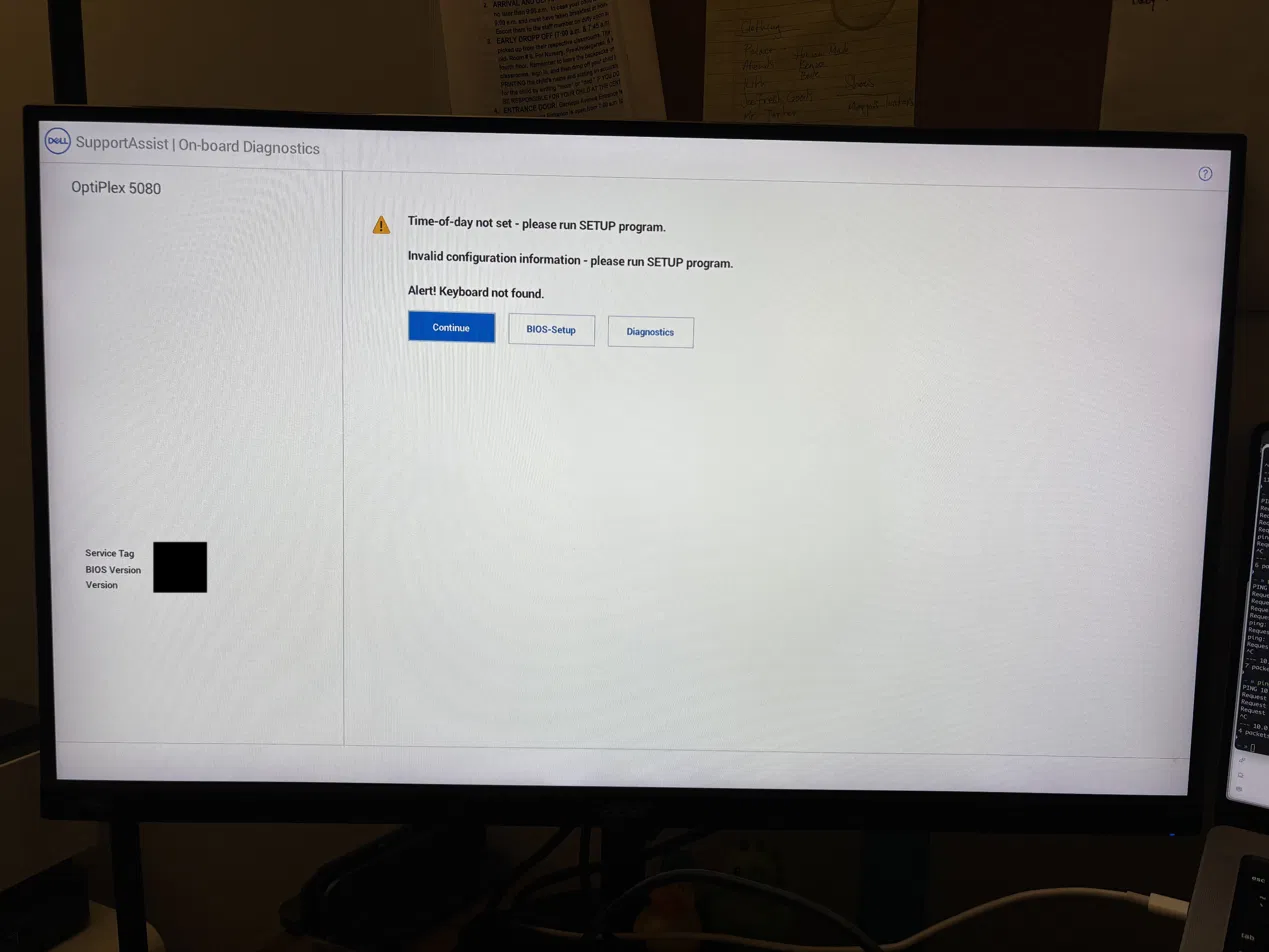
Time-of-day not set - please run SETUP program
Invalid configuration information - please run SETUP program
In running the setup program, I saw that not only had the time-of-day been wiped, but all of the other configuration settings were reset too. I don’t know much about BIOS programs, but it felt odd that a change in memory would cause this much trouble. Just to be thorough, I figured I would give the context to Claude and see if this was anything to be worried about.
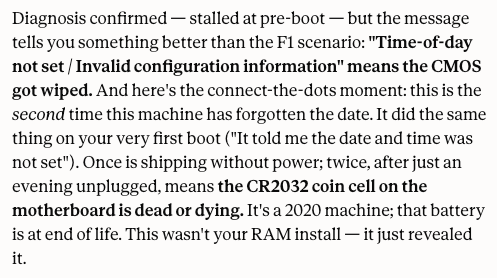
At this point it’s late, I’m tired, I think I just got swindled by an eBay seller, I don’t even know what a CR2032 coin cell is, and I’m annoyed that I’m not already setting up my Wazuh SIEM. After a quick Google search, turns out CR2032 batteries are the same ones that go into Airtags, and I recently replaced the battery in one of mine! I either had a spare hiding somewhere or I’d pull it from an Airtag in use. I grabbed a battery, powered off the Optiplex once more, and opened the case up again.
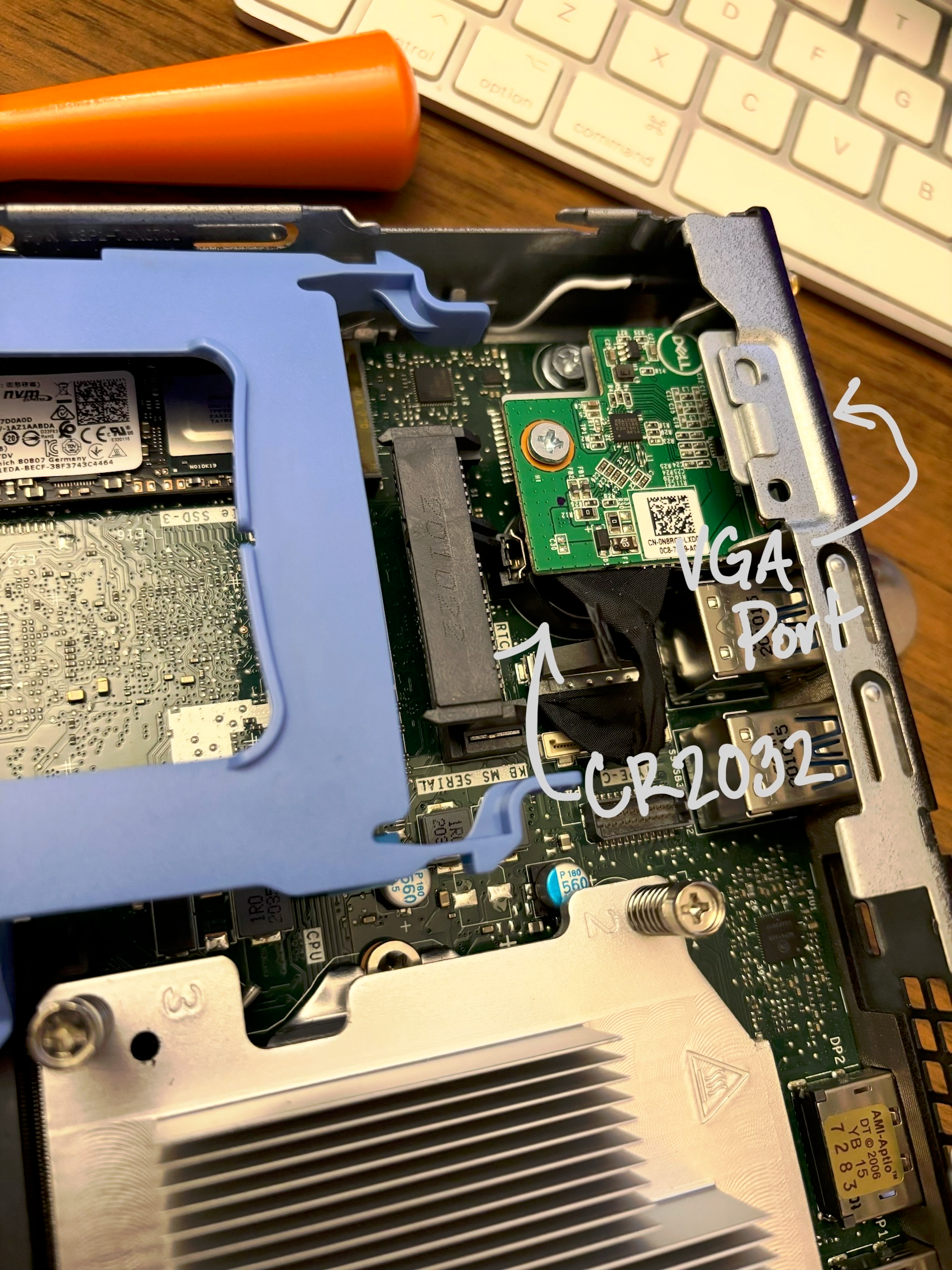
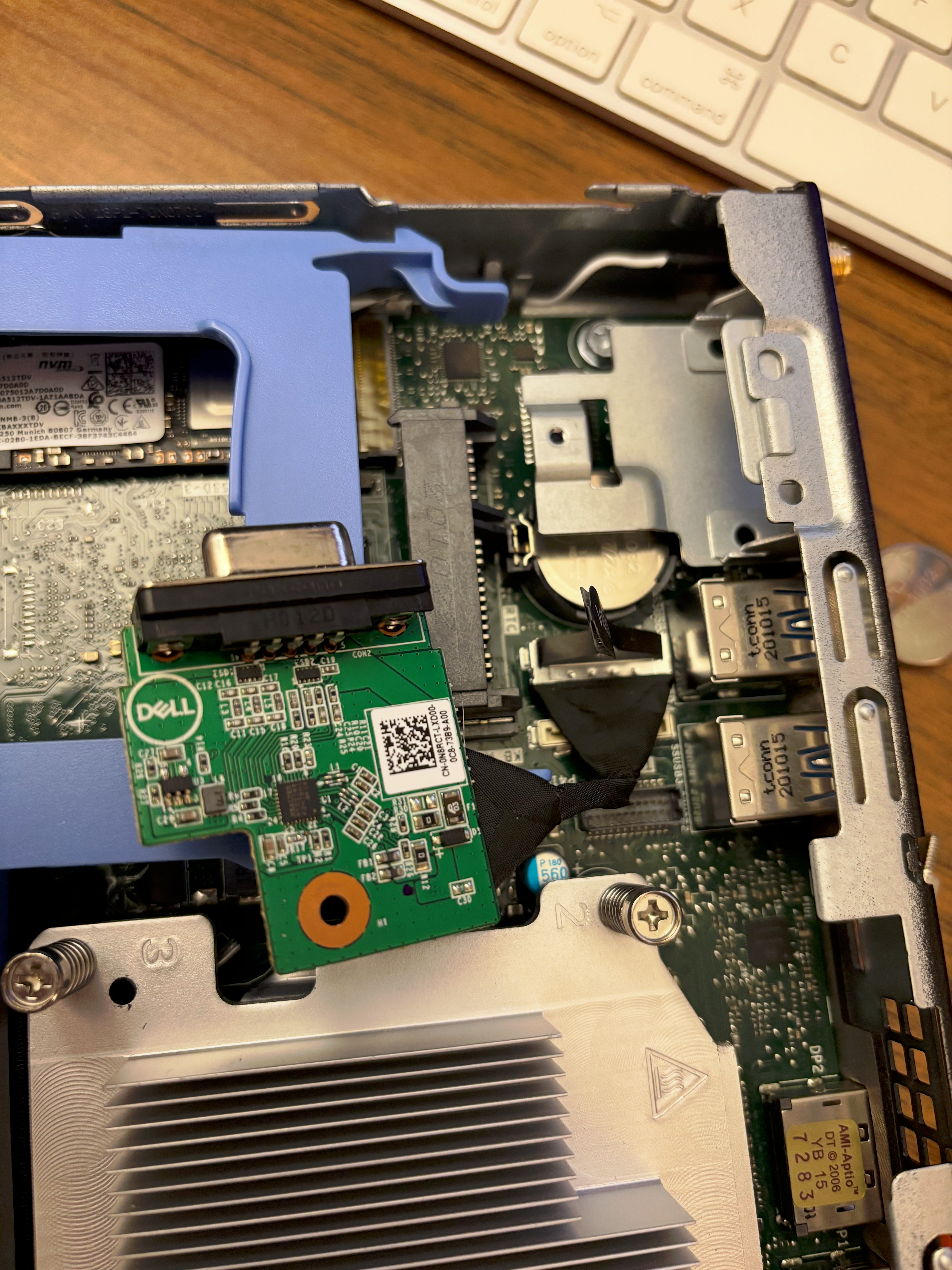
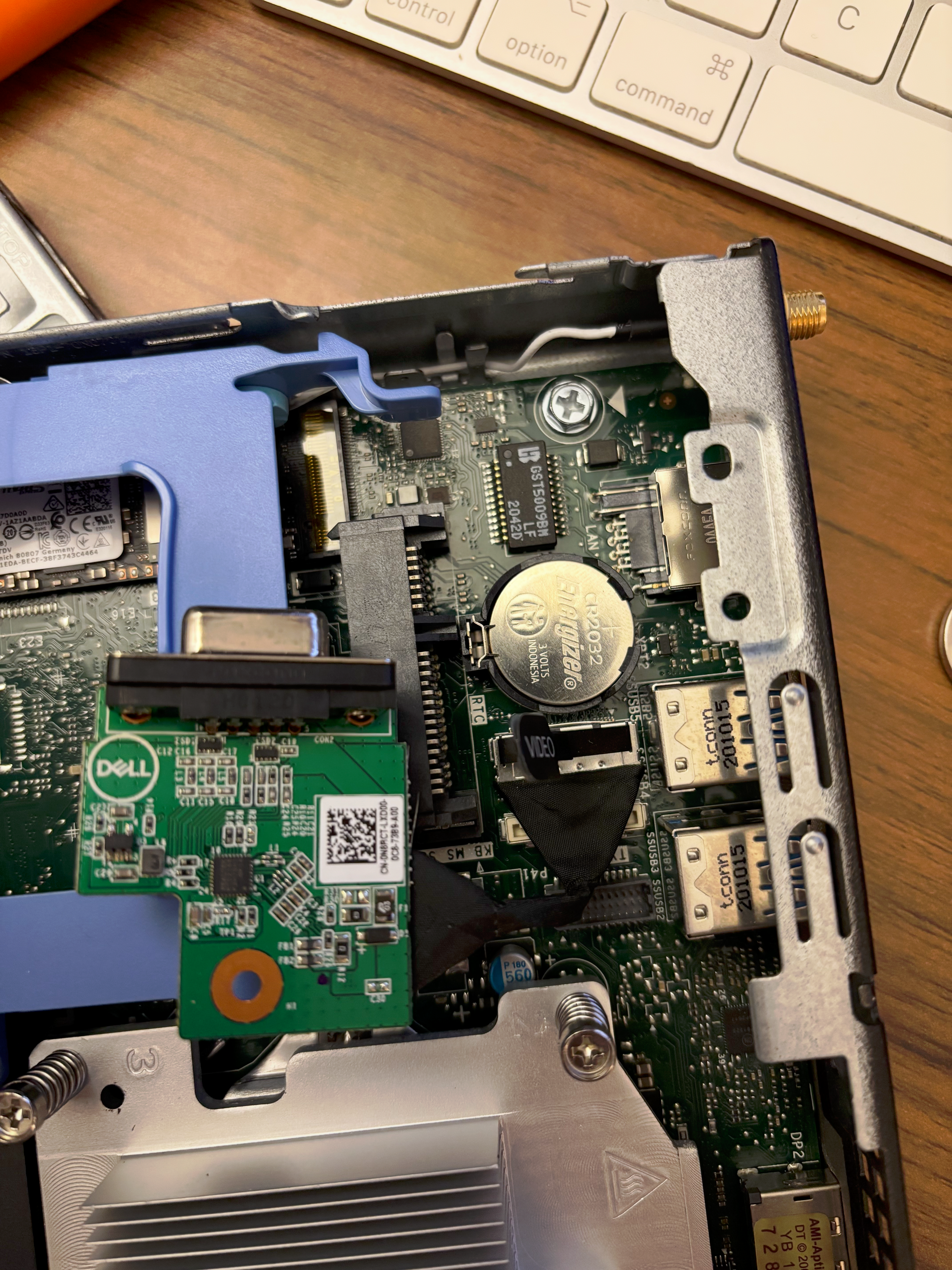
The battery was tucked under the VGA port’s motherboard(?), but fortunately that could be removed to access the battery. Unfortunately, I couldn’t get it out by hand, and after searching the Optiplex 5080 Service Manual for disassembly/reassembly instructions, found that I needed something called a plastic scribe. I didn’t have that, but after searching and some trial and error I found that a wooden cuticle pusher did the trick! I replaced the battery, reassembled the machine, and booted up again to set the BIOS settings for, fingers crossed, one last time.
A few moments later I was logged in to the web UI! I was hopeful that swapping the CMOS battery was the solution but as I learned, this issue was triggered by being unplugged for some time and that was yet to be verified. All that was left was to verify the OS recognized the additional memory, run memtester to verify the RAM was functioning, and leave the box unplugged for a few hours to verify that the CR2032 battery swap was successful.
$ free -h
               total        used        free      shared  buff/cache   available
Mem:            31Gi       1.8Gi        29Gi        47Mi       613Mi        29Gi
Swap:          7.5Gi          0B       7.5Gi
# memtester 20G 1 | tee /root/memtest.log
memtester version 4.7.1 (64-bit)
Copyright (C) 2001-2024 Charles Cazabon.
Licensed under the GNU General Public License version 2 (only).
pagesize is 4096
pagesizemask is 0xfffffffffffff000
want 20480MB (21474836480 bytes)
got 20480MB (21474836480 bytes), trying mlock ...locked.
Loop 1/1:
Stuck Address : ok
Random Value : ok
Compare XOR : ok
Compare SUB : ok
Compare MUL : ok
Compare DIV : ok
Compare OR : ok
Compare AND : ok
Sequential Increment: ok
Solid Bits : ok
Block Sequential : ok
Checkerboard : ok
Bit Spread : ok
Bit Flip : ok
Walking Ones : ok
Walking Zeroes : ok
8-bit Writes : ok
16-bit Writes : ok
Done.Memory recognized, memtester passed, no-AC power test passed (~1 hour unplugged), and I didn’t get swindled! In all fairness to the eBay seller this machine is several years old, batteries die, and I only found out because I was moving it around while I was installing another OS. Faith in humanity restored!